seib Cowork
An AI coworker for engineers and everyone they work with, built to run inside your own network.
Built first for engineering, open to the whole organisation. It plans the task, reads the documents, queries plant and business systems, and delivers finished work. Every change is shown exactly and approved by a person.
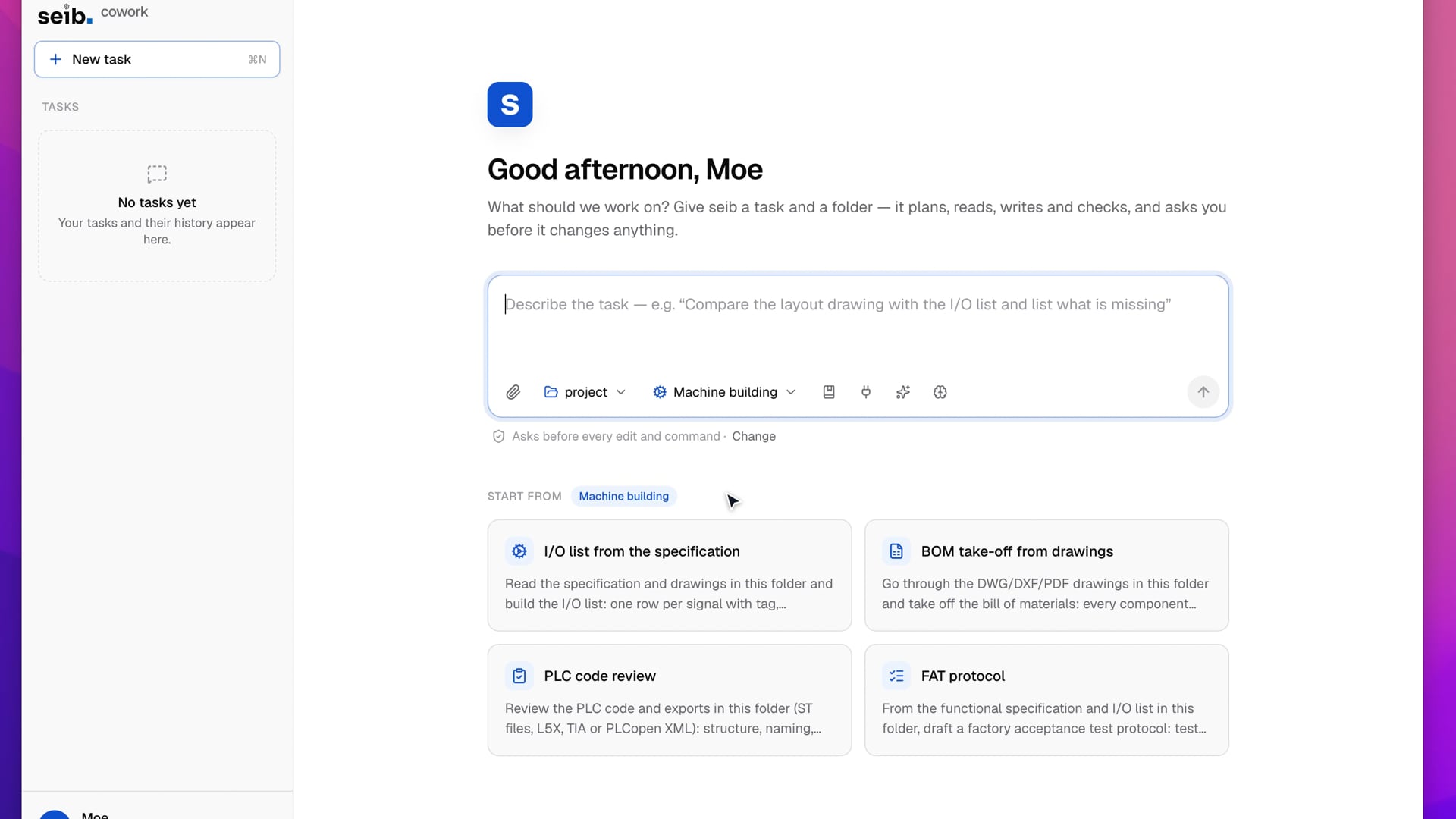
The model proposes. The desktop checks, asks, runs and records.
The seib model never touches a file or a system itself. It suggests the next action; the app checks it against policy and folder limits, shows it to the engineer, runs it only if allowed, and keeps an undo copy and an audit entry for every step.
- 1
Ask
Pick the project folder and write the task in plain words. Knowledge bases and connected systems are already there.
- 2
Plan
Cowork shows its plan first, and asks a clarifying question with ready-made choices when the task is unclear.
- 3
Read
Documents, spreadsheets, mail, PLC exports and the company's own manuals and procedures. Every file read and query appears as it happens.
- 4
Approve
The edit, the SQL statement, the mail, the command: shown exactly, as a diff. Allow it, edit it first, or refuse it.
- 5
Deliver
Finished work opens in a preview: reports, spreadsheets, review comments, drafted replies. Answers cite the document and page.
- 6
Undo
Every file is copied before it changes, so any edit can be undone, one at a time or all at once.
What people hand it.
- Build an I/O list
- Reads the P&ID and functional spec, pulls tags from the plant database, and writes the list in Excel, in your company template.
- Review a specification
- Compares a supplier's document with your design rules and earlier projects, and writes review comments with page references.
- Answer a maintenance question
- Searches equipment manuals and maintenance records, and answers with the manual's page.
- Prepare a FAT or SAT
- Builds test sheets from the I/O list and control narrative, and reads live values over OPC UA to fill in results.
- Handle supplier mail
- Reads a vendor's mail and the attached revision, finds what changed, and drafts the reply for the engineer to send.
- Answer from company knowledge
- Finds the answer in your manuals, procedures and policies, for anyone in the organisation, and cites the document and page.
- Write reports and documents
- Turns spreadsheets, notes and mail threads into reports in Word and data in Excel, in your company templates.
- Repeat routine work
- Saves a request as a playbook, shares it with the team, and runs it on a schedule or when new files arrive.
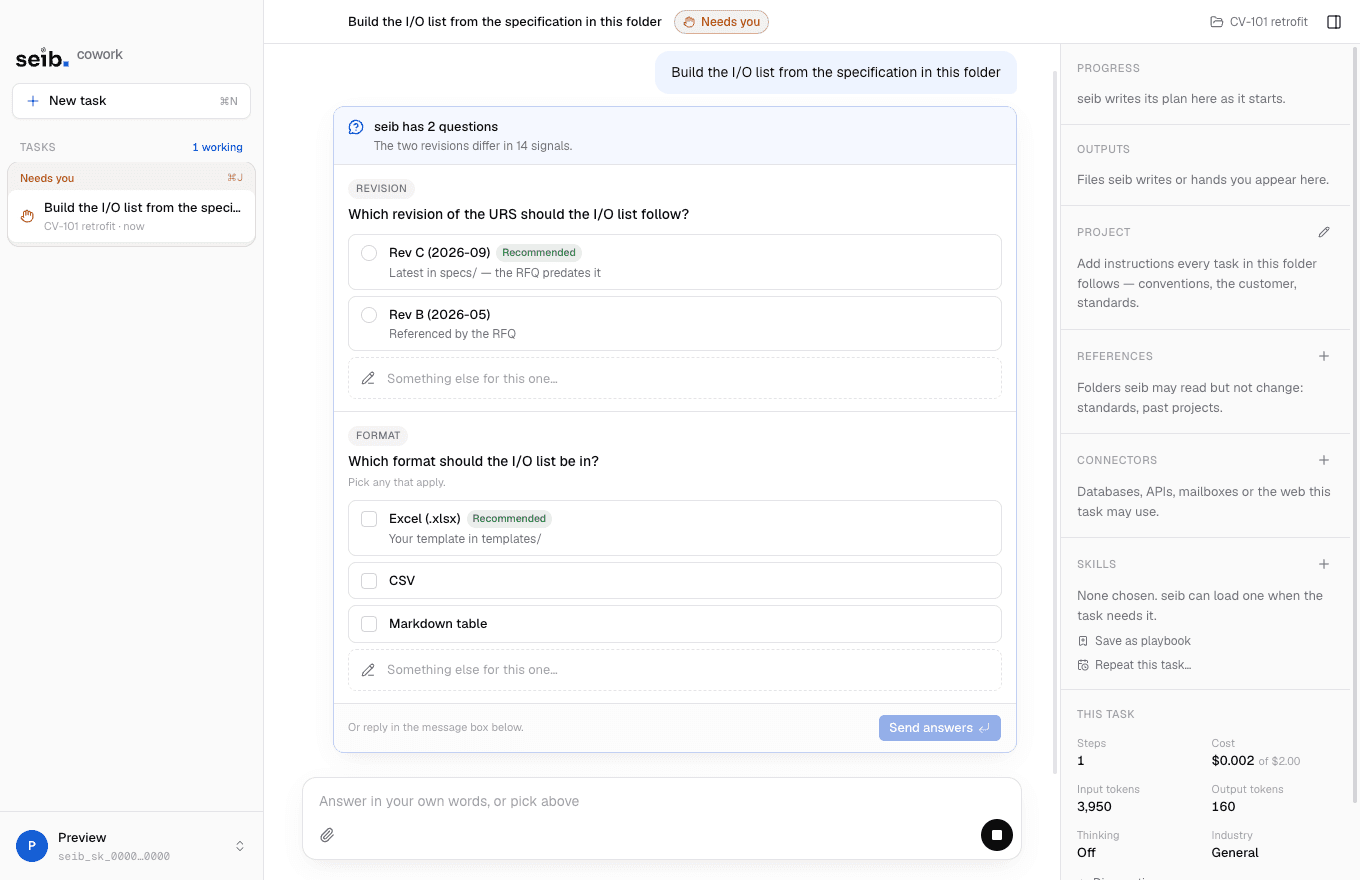
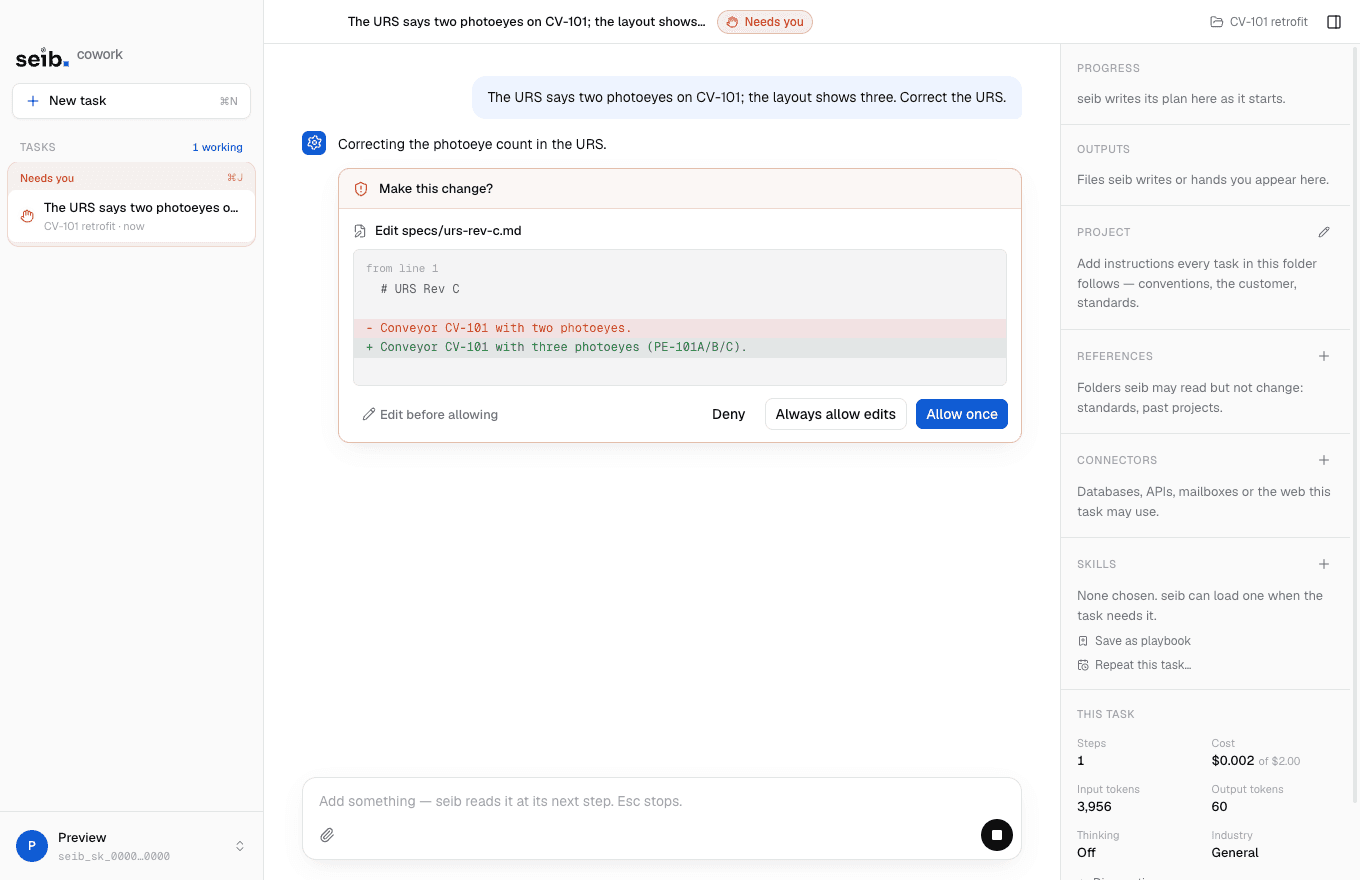
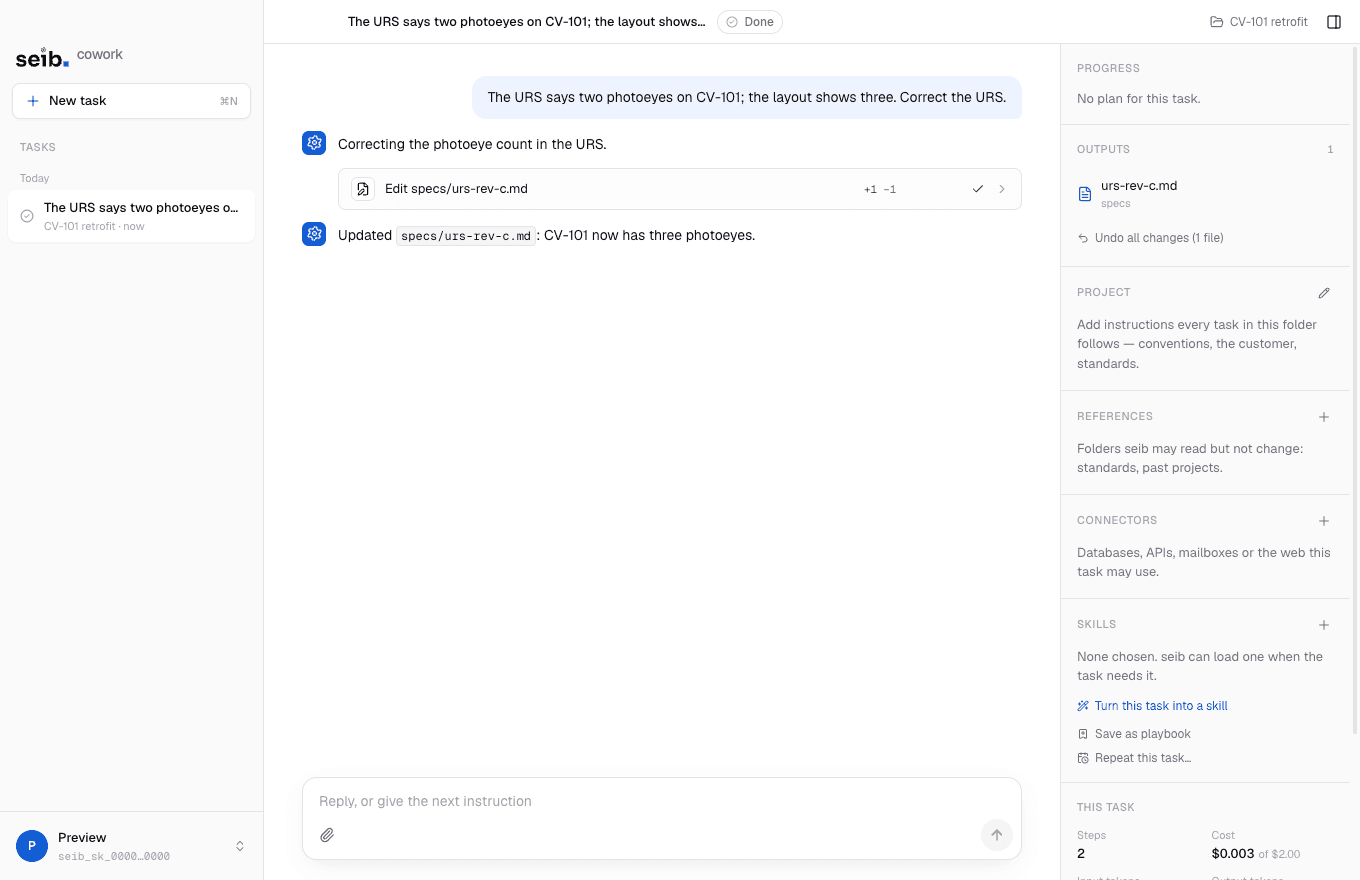
Reads run directly. Writes always ask.
Administrators define each connector once for everyone. Each engineer connects with their own account, so no one gains access they did not already have.
- Databases
- Microsoft SQL Server, PostgreSQL, MySQL and MariaDB, SQLite
- Plant data
- OPC UA (browse, read, history), MQTT and Sparkplug B, AVEVA PI, InfluxDB
- Business systems
- SAP (OData), Jira, Azure DevOps, ServiceNow, any REST API with OpenAPI, GraphQL, MCP servers
- Documents
- SharePoint and OneDrive, project folders, read-only reference folders
- Exchange and any IMAP/SMTP server, Microsoft 365, Gmail. Drafts only by default
- Knowledge
- Your organisation's knowledge bases, searched with page-level citations
- Files it reads
- PDF, Word, Excel, DWG and DXF, images; Rockwell L5X, Siemens TIA Portal, PLCopen XML, EPLAN part and wire lists, IEC 61850 SCL, OPC UA NodeSets, AutomationML
Set once, centrally. Enforced on every desk.
Policy is set in the dashboard and enforced by each workstation, even offline. Members may choose stricter settings, never looser ones.
Approval modes
- Ask every time
- The default. Every edit and every command waits for a person.
- Allow edits
- File edits run; commands still ask.
- Allow everything
- For trusted, repeated tasks. The organisation decides whether it exists.
Always asks, whatever the mode
- Deleting, formatting, shutting down, admin rights
- Installing software and network tools
- Anything outside the task's folder
- Every write to another system
- A command that matches text from a document it just read
Administrators set
- The highest approval mode members may use
- Whether commands may run at all, and a minimum Strict mode
- A budget per task, and how long data is kept
- Which skills may be used
- Which connector kinds and hosts are allowed, and read-only access
- Central activity logging, as metadata only
Nothing has to leave your network.
For organisations that want their own internal model. In the on-premises edition every part runs on your hardware: the seib model and the embedding model on your GPU servers, the knowledge store and policy on your application server, and the coworker on each engineer’s desk.
Two ways to run it.
- Cloud, in the EU
- seib model hosted in the EU
- Nothing to install on servers. The seib model runs in the EU; project files stay on the engineer's workstation, and only what a step needs is sent, over TLS.
- On-premises
- Your servers, your network
- For organisations that want their own internal model: the seib model, embeddings, knowledge store and policy on your hardware, with no route to the internet.
- Your model, on your servers
- The on-premises edition is designed so every part runs inside the company: the seib model on your GPU servers, knowledge bases on your storage, accounts and policy on your servers.
- Your permissions, unchanged
- Connectors are defined once, centrally, with no passwords in them. Each engineer signs in with their own account, so every system keeps its own permissions.
- Your record of every step
- Each task keeps a tamper-evident, hash-chained audit trail: the request, every action, and who allowed it. Export it as CSV or JSON Lines.
Where data lives.
Safeguards on every desk.
- Connectors limited by policy to approved internal hosts, such as *.plant.local, and read-only if you choose
- Plant data over OPC UA with Sign or SignAndEncrypt security
- A command matching text from a document it just read is flagged and always asks
- Hidden and right-to-left characters in a command are made visible before approval
- Strict mode runs commands in a sandbox limited to the task's folder, optionally offline
- Every file is copied before it changes, so every edit can be undone
Three phases, starting small.
A pilot is sized so your security review can be signed off on real use before anything is allowed to write.
- 14–6 weeks
Pilot
One team, read-only connectors, two or three knowledge bases. Time saved is measured on real tasks, and your security review is signed off on real use.
- 2After sign-off
Department
All engineers, shared skills and playbooks, writes with approval where they help. One standard way of working, with central reporting.
- 3When ready
Sites
Further departments and plants, with plant connectors through the DMZ. One governed coworker across the company.
What IT and engineering ask first.
Can it change a plant system on its own?
No. Every write to another system asks, each time, shown as the exact statement, value or mail. There is no “always allow” for writes, and connectors can be made read-only.
What if it makes a mistake?
Every change is previewed before it happens and every edit can be undone. Answers cite the document and page they come from, and the audit trail shows what happened and who allowed it.
Do engineers gain access they didn't have?
No. Each engineer connects with their own account, so every system keeps its own permissions. Connector definitions are shared; credentials never are.
Can a document trick it into running something?
Documents are treated as content, not instructions. A command that matches text from a document it just read is flagged and always asks, and hidden or right-to-left characters in a command are made visible.
Where are passwords kept?
In each workstation's operating-system keychain. They are never sent to the model, to central services, to logs or to exports.
Can it run without the internet?
The on-premises edition is designed for networks with no internet route. Today, Strict mode already runs a task offline, limited to its own folder.
Request pilot access.
Not a waitlist. Tell us the problem and we’ll tell you honestly whether seib is ready for it.
- 1A person reads your request and replies within a few business days.
- 2A short call about the line, the toolchain and what's slow today.
- 3A Cowork pilot starts with one team, read-only connectors and two or three knowledge bases.